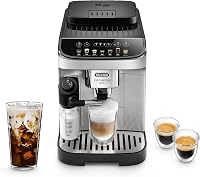
Can You Use Ground Coffee in a De'Longhi Magnifica?
Yes, some De'Longhi Magnifica models accept ground coffee. Check your model's manual for the ground-coffee option and its instructions before adding coffee.
On this page (8 sections)
- Can you use ground coffee in a De'Longhi Magnifica?
- Why use ground coffee instead of beans?
- What should you check before brewing pre-ground coffee?
- What happens when you switch between beans and ground coffee?
- Which Magnifica models in this guide accept ground coffee?
- Can you use any grind size?
- What should you do if the machine won't brew?
- Is ground coffee a good fit for your Magnifica?
Yes, some De'Longhi Magnifica models can brew ground coffee, but the controls and steps vary by model. Check your manual for a pre-ground coffee option before adding anything.
Ground coffee can be handy for decaf or a second blend. The bean hopper is for whole beans, so don't pour grounds into it.
Can you use ground coffee in a De'Longhi Magnifica?
You can use ground coffee if your particular Magnifica model has a ground-coffee mode. Confirm the option and its instructions in the model's manual, since the steps aren't the same for every machine.
A machine with a built-in grinder may still have a separate way to brew pre-ground coffee. The option lets you use coffee that has already been ground instead of sending whole beans through the grinder.
Use the specified compartment or chute, not the bean hopper. Follow the manual for the amount to add and the button sequence.
How do you use ground coffee in a Magnifica?
Select the ground-coffee option and follow your model's steps for adding a serving. Check the manual first so you know where the grounds go and which drink control to press.
A typical sequence may involve selecting the pre-ground setting, adding coffee to the designated compartment, then starting a drink. Treat that as a general outline, not model-specific instructions.
Don't add grounds before checking whether the machine is set to use them. If the controls are unclear, pause and look up the manual for the exact model number.
Why use ground coffee instead of beans?
Ground coffee is useful when you want a different coffee for one serving, such as decaf, without replacing the beans in the hopper. Beans are convenient for regular brewing because the machine can grind them for a drink.
Think about how often you'd switch. If you make the same coffee most of the time, beans may suit your routine.
If you often want a second blend, the pre-ground option can add flexibility when your model supports it.
A bag of ground coffee can also be a practical choice if you already have one at home. Use coffee suited to your machine and follow its instructions for the amount and compartment.
What should you check before brewing pre-ground coffee?
Check your model, the correct compartment, and the dose before brewing. These details help you avoid putting grounds where the machine expects whole beans.
- Find the model number: Look for the model name or number on the machine, then use it to find the matching manual.
- Confirm the pre-ground setting: Don't assume every Magnifica model uses the same controls.
- Locate the right compartment: Keep ground coffee out of the bean hopper.
- Follow the serving instructions: Use only the amount and sequence described for your machine.
If the machine doesn't have a ground-coffee option, use whole beans as directed or choose another brewing method for pre-ground coffee. Don't force grounds into an opening that isn't meant for them.
For drink steps after setup, see our guide to making a latte with a De'Longhi Magnifica. If you have an Evo, our first-week guide to using a De'Longhi Magnifica Evo covers the basic controls.
What happens when you switch between beans and ground coffee?
Switch modes using the machine's controls and manual, rather than changing what goes into the bean hopper. The separate compartments serve different purposes: whole beans go in the hopper, while grounds go only where the manual directs.
When you return to beans, select the regular setting if the machine requires it. If a drink doesn't start or the controls don't match what you expect, stop and check the manual before trying again.
Avoid leaving grounds in the wrong compartment. Clear or clean the area only as the manual allows, and don't reach into a grinder or moving part.
Which Magnifica models in this guide accept ground coffee?
The product information for these three models identifies ground coffee as an input type. Still, check the instructions for your exact machine to confirm how to load it and brew.
The Magnifica Evo with LatteCrema has a built-in conical burr grinder and 7 one-touch or customized drinks. Its listed coffee input type is ground.
The Magnifica Evo Manual Frother has 5 one-touch or customized drinks and a traditional milk frother. Its listed coffee input type is also ground.
The Magnifica Start offers espresso, coffee, and Americano recipes, with a manual milk frother. Its listed coffee input type is ground.
These details identify ground coffee as an input type, but they don't replace the model's instructions for using it. Compare more options in our guide to which De'Longhi espresso machine is best for you.
Can you use any grind size?
Follow the coffee and grind guidance in your machine's manual. The product information here doesn't specify a ground-coffee grind size for these models.
Don't assume that a setting for the built-in grinder also tells you which pre-ground coffee to buy. Grinder settings apply to whole beans going through that grinder; the instructions for pre-ground coffee may be separate.
If you aren't sure whether your coffee is suitable, check De'Longhi's guidance for your model. Our related guide explains how to clean a De'Longhi milk frother after making a milk drink.
What should you do if the machine won't brew?
Stop and check the manual if the machine doesn't recognize the setting or the drink doesn't start. Confirm that you selected the correct mode, used the proper compartment, and followed the required dose.
Don't keep adding coffee or try to push grounds into another opening. If the controls show an error or a part seems blocked, use the troubleshooting steps for your model or contact De'Longhi support.
Is ground coffee a good fit for your Magnifica?
If you want occasional decaf or a second blend, use ground coffee only when your model supports it and its manual explains the process. For everyday brewing, whole beans can use the machine's built-in grinder.
Choose the Magnifica model around the drinks and frother style you want, then confirm its ground-coffee instructions before buying coffee for it. For milk drinks, start with our Magnifica latte guide.
Frequently asked questions
Can you use ground coffee in a De'Longhi Magnifica?
Some Magnifica models accept ground coffee, but the exact steps and settings depend on the model. Check your manual for a ground-coffee mode, how much to add, and whether to select a single serving.
Don't put ground coffee in the bean hopper, since that compartment is for whole beans.
Can you use pre-ground coffee instead of beans in a Magnifica?
Yes, if your specific Magnifica has a ground-coffee option. It can be useful for decaf or a different blend, while beans use the built-in grinder.
Follow the manual for the ground-coffee compartment and dose, and use the bean hopper only for whole beans.
Where do you put ground coffee in a De'Longhi Magnifica?
Use the ground-coffee chute or compartment only if your model has one, following the manual's instructions. It is separate from the bean hopper.
The location, dose, and control sequence can vary, so check the guide for your exact Magnifica before brewing.
Can you mix ground coffee and beans in a Magnifica?
Don't pour ground coffee into the bean hopper or mix it with whole beans there. If your Magnifica supports pre-ground coffee, use its separate ground-coffee option as directed.
Return to beans by selecting the normal bean setting and using the hopper as your manual describes.